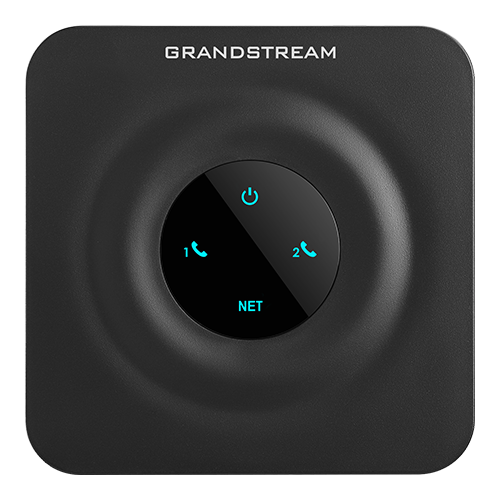
File:Grandstream HandyTone HT802v2 - Top View.png
From VoIP.ms Wiki
(Difference between revisions)
| [draft revision] | [draft revision] |
RogueScholar (Talk | contribs) |
RogueScholar (Talk | contribs) (Add image description and original source details) |
||
| Line 1: | Line 1: | ||
| + | == Description == | ||
| + | High-angle photo of the top of a [[Grandstream HT802v2|Grandstream HandyTone HT802v2]] [[ATA Devices|analog telephone adapter]], showing all lighted device status indicators. | ||
| + | === Original source === | ||
| + | This image was retrieved from the [https://www.grandstream.com/products/gateways-and-atas/analog-telephone-adaptors/product/ht802v2 official Grandstream product page] image gallery (accessible at [https://www.grandstream.com/hubfs/HT802%20v2_2.png grandstream.com/hubfs/]) with the filename <code style="border: thin solid #ccc; font-size: 1em; padding: 1px 4px; white-space: collapse nowrap;">HT802 v2_2.png</code>, which was [https://web.archive.org/web/20250214110604if_/https://www.grandstream.com/hubfs/HT802%20v2_2.png archived by The Wayback Machine] on February 14, 2025. It was subsequently resampled and optimized for reduced file size before being uploaded to [[Welcome|VoIP.ms Wiki]]. | ||
| + | |||
| + | |||
| + | [[Category:Grandstream]] | ||
Latest revision as of 04:09, 8 May 2026
Description
High-angle photo of the top of a Grandstream HandyTone HT802v2 analog telephone adapter, showing all lighted device status indicators.
Original source
This image was retrieved from the official Grandstream product page image gallery (accessible at grandstream.com/hubfs/) with the filename HT802 v2_2.png, which was archived by The Wayback Machine on February 14, 2025. It was subsequently resampled and optimized for reduced file size before being uploaded to VoIP.ms Wiki.
File history
Click on a date/time to view the file as it appeared at that time.
| Date/Time | Thumbnail | Dimensions | User | Comment | |
|---|---|---|---|---|---|
| current | 07:52, 24 February 2026 | 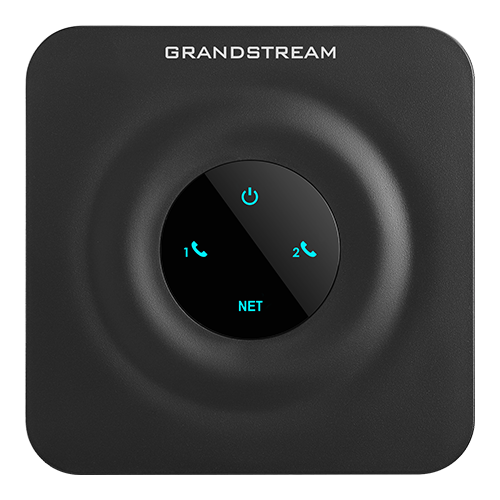 | 500×500 (142 KB) | RogueScholar (Talk | contribs) |
- Edit this file using an external application (See the setup instructions for more information)
File links
The following 2 pages link to this file: